AutoTyper
AutoTyper for Google DocsPricingFeaturesFree
enEnglishEnglish
EnglishChinese
AutoType Free
Menu
enEnglishEnglish
EnglishChinese
Pricing
AutoTyper for Google DocsPricingFeaturesFree
AutoTyper AI · auto typer for Google Docs

Drip-write before you submit

Make it read like lived-in work.
Natural human pacingReal version historyPause & resume anytimeGoogle Docs native
Live demo
Google DocLive
◌2:45 PM▸▸
Most drafts do not appear all at once. People usually write the opening first, leave for class or work, come back to clarify a weak point, and only later tighten the final wording. In Google Docs, that rhythm shows up in version history as starts, pauses, small corrections, and steady…
Timelapse
Version History
9:30 AMStarted writing
9:45 AMAdded key point
12:00 PMRe-read & corrected
2:45 PMTightened wording
Your turn — try it free
Duration
Paste your draft to AutoType
0 words · Free plan: 250 words/day

Version history tells the truth

Which timeline looks written?

Direct paste
Most drafts do not appear all at once. People usually write the opening first, leave for class or work, come back to clarify a weak point, and only later tighten the final wording. In Google Docs, that rhythm shows up in version history as starts, pauses, small corrections, and steady progress across the day. The document feels lived in because the writer is re-reading, trimming repetition, adding one supporting detail after another, and cleaning up awkward phrases before calling it done. That pattern is what makes a normal school paper, report, or application draft look believable: it grows in pieces, changes shape over time, and reflects the way real people actually write instead of a single late-night paste.

Version History

2:48 AMPasted 3286 words

Only one paste

Nothing more.

One dump. One timestamp. Hard to buy as real work.

AutoTyper
Live
Most drafts do not appear all at once. People usually write the opening first, leave for class or work, come back to clarify a weak point, and only later tighten the final wording. In Google Docs, that rhythm shows up in version history as starts, pauses, small corrections, and steady progress across the day. The document feels lived in because the writer is re-reading, trimming repetition, adding one supporting detail after another, and cleaning up awkward phrases before calling it done. That pattern is what makes a normal school paper, report, or application draft look believable: it grows in pieces, changes shape over time, and reflects the way real people actually write instead of a single late-night paste.

Version History

9:30 AMStarted writing
9:45 AMAdded key point
12:00 PMRe-read & corrected
2:45 PMTightened wording
6:00 PMAdded supporting detail
9:15 PMFinished draft
9:30 PMFinal revision

Detailed version history

Changes spread across the day. It feels actually worked on.

Already used by students and professionals at...

  • Massachusetts Institute of Technology
  • Google
  • Yale University
  • McKinsey & Company
  • Princeton University
  • Deloitte
  • University of Texas at Austin
  • Goldman Sachs
  • University of Oxford
  • Duke University
  • Massachusetts Institute of Technology
  • Google
  • Yale University
  • McKinsey & Company
  • Princeton University
  • Deloitte
  • University of Texas at Austin
  • Goldman Sachs
  • University of Oxford
  • Duke University

WITH AUTOTYPER ON

Go live your life. Your Google Doc keeps drip-writing.

AutoTyper drip-writes on our servers — small paced chunks, realistic typos, and a natural version history. Close the tab, shut the laptop, fall asleep. The draft just keeps going.

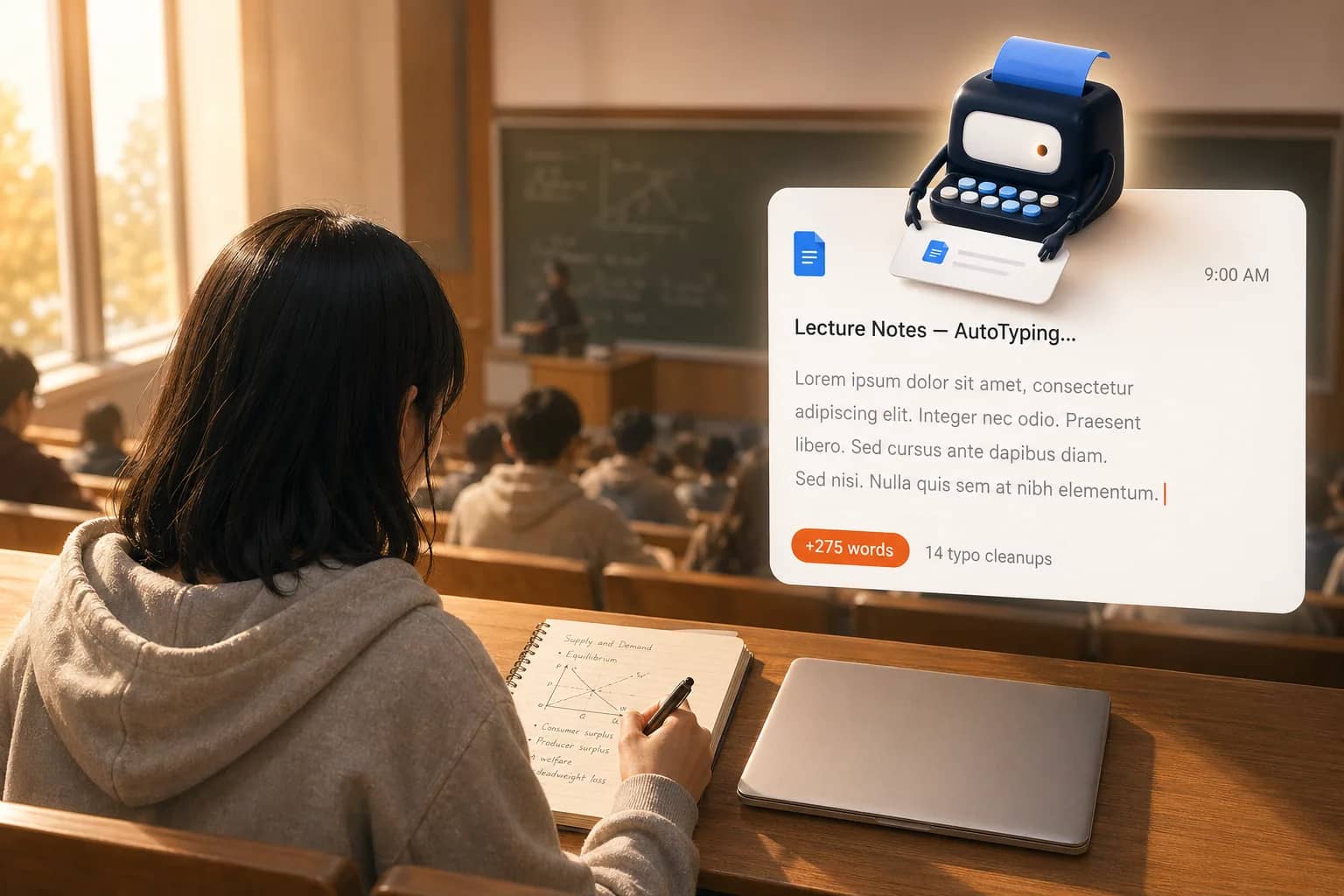
  • 9:00 AM·

    You're in class

    auto-typing

    Phone in your bag, eyes on the lecturer. The doc moves while you take real notes.

  • 12:30 PM·

    You're out on the field

    Sweat, ball, sunlight. Your laptop is at home — and the draft keeps growing without you.

  • 7:30 PM·

    You're watching YouTube

    Hoodie on, video playing, mind unplugged. The draft keeps drip-writing on our servers — your laptop's just for YouTube tonight.

  • 11:30 PM·

    You're asleep

    Lid closed, lights off. The cursor keeps making progress while you rest.

9:00 AM — You're in class

Everything an auto typer should do

Human-paced typing into Google Docs — small paced chunks, realistic typos, natural version history, all running server-side.

Natural version history

Activity stretches across the whole session instead of spiking in one timestamp. When someone opens the revision panel, they see hours of writing — because that is literally what the timeline recorded.

Server-side drip-writing

Close the laptop. Walk into class. Log off for the day. AutoTyper runs server-side, so your Google Doc keeps filling in whether or not the browser tab is open on your end.

Paced chunk typing

AutoTyper writes your draft into Google Docs as small paced chunks — natural intervals between batches, not a single instant paste. The version history reads like a real writing window, not a one-timestamp drop.

Typos, fixes & revision realism

Small typos, inline corrections, light revision passes, and natural breaks scattered across long sessions all get woven in. Your Google Docs history gains real edit activity — pauses, fixes, and a real workday rhythm — not just a flat line of steady characters.

Flexible duration control

Pick any window from 10 minutes to a full week. Same draft, your pace — from 'I have one class period' to 'I started this on Monday morning.'

Secure Google Docs integration

OAuth-based connection, scoped to the single document you choose per session. AutoTyper cannot see, list, or touch anything else in your Drive, and access is revocable from your Google account at any time.

Explore all features →

How the AutoTyper works

Paste, pick a duration, let it type — then close the tab.

  1. Step 1

    Paste your draft

    Drop in any AI or hand-written text.

  2. Step 2

    Pick a duration

    From 10 minutes to a full week.

  3. Step 3

    Let it AutoType into Google Docs

    Auto-types on our servers with natural pacing, typos, and version history.

AutoTyper FAQ

Quick answers to the things people ask before their first drip-writing.

Can I leave my computer while AutoTyper is running?

Yes — that is the point. Once you click Start, you can close the browser tab, shut the laptop, head to class, or go to sleep. AutoTyper keeps typing into your Google Doc on our servers, not in your browser, so nothing on your end needs to stay open. When you come back, open File → Version history in Google Docs and the edit timeline accrued while you were gone will be waiting.

Does AutoTyper rewrite, paraphrase, or change my text?

No. AutoTyper keeps your wording unchanged. It does not rewrite, paraphrase, or swap phrases — it only controls when your draft enters Google Docs and how it is paced over time.

Will my Google Docs version history show one all-at-once paste?

Only if text is pasted directly into the doc. AutoTyper handles the same draft differently: it adds the text across the duration you choose, so version history builds up as a series of paced edits instead of one all-at-once event.

What does a large paste look like in Google Docs version history?

In Google Docs, a large paste usually appears as one sudden edit. AutoTyper approaches the same draft differently: it writes across a chosen time window so the document history builds gradually instead of arriving in one burst.

How does AutoTyper work as an auto typer for Google Docs?

Connect your Google account once, pick a single Google Doc, paste your draft, and choose a duration from 10 minutes to a full week. AutoTyper is a human typing simulator built for Google Docs: it drip-writes your text into the document in small paced chunks, with natural intervals, occasional typos, and a light revision pass across the window you chose. The resulting version history looks like a real writing session — not a paste. For Drive permissions details, see the question below.

Does AutoTyper have access to all my Google Drive files?

No. AutoTyper only ever sees the single Google Doc you authorize for that AutoType session — it cannot list, read, edit, or delete anything else in your Drive, not other docs, spreadsheets, slides, or shared folders. You can revoke access from your Google Account's security settings at any time, and the next AutoTyper session will need fresh authorization.

If AutoTyper doesn't rewrite the text, what does it actually change?

It changes the timing, pacing, and edit rhythm of how your draft appears inside Google Docs. The text itself stays intact; what changes is how the document builds up across the time window you choose.

How does background drip-writing work?

AutoTyper is not a Chrome extension or a Tampermonkey script — those die the moment the tab closes, the popup blocks, or the session token expires. Instead, AutoTyper runs as a server-side session: the moment you click Start, the typing job is queued on our servers, authenticates to Google Docs with the token you granted, and drip-writes in small paced chunks at the rhythm you picked. If your Wi-Fi blips or your laptop sleeps, the server keeps going; if the token glitches, the session retries. That is how one paste can turn into a full week of paced typing without anyone babysitting a browser tab.

View all FAQs →

AutoTyper for Google Docs

Background typing for Google Docs. Gradual version history.

The AutoTyper AI is free to try. Your first session runs on us — no card, no setup, no tab-babysitting.

AutoType FreeSee Pricing
AutoTyper AI — auto typer for Google Docs

AutoTyper is an auto typer for Google Docs that writes your draft over time with background typing and gradual version history.

hello@autotyper.net

Pages

  • AutoTyper for Google Docs
  • Pricing
  • Features
  • AutoTyper Free
  • FAQ

Legal

  • Invitation Rules
  • Privacy
  • Terms

© 2026 AutoTyper. All rights reserved.

AutoTyper AI · auto typer for Google Docs.